


Comic Reader CBR, CBZ & PDF
3.717.00 Reviews
App Specs
- Version
- 1.35.0
- Updated On
- License
- Free
- Downloads
- 100,000+
- Developer
- Mad Mustache Company
- Categories
- Comics
- Platform
- Android, iOS
Screenshots
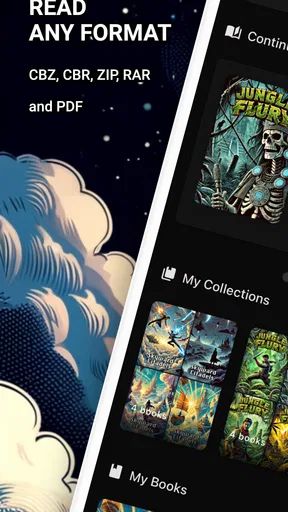
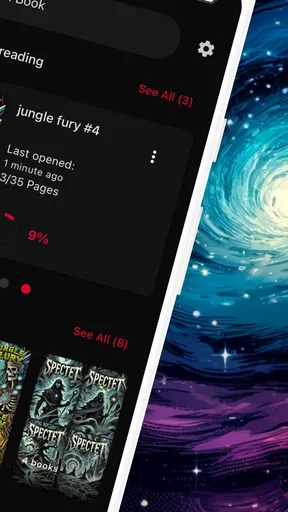
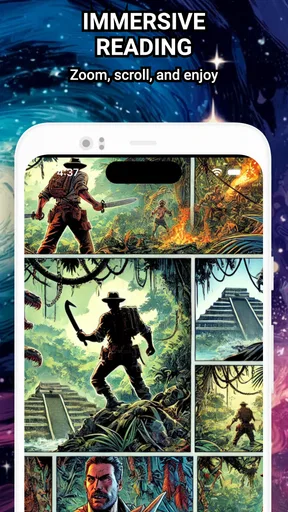
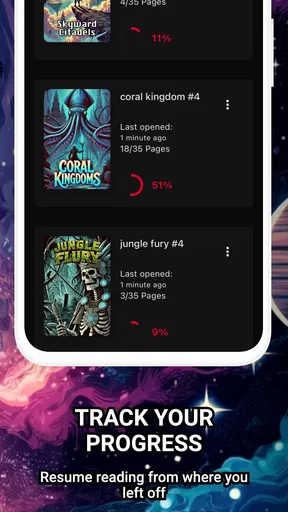
 Analysis by AppCompare
When I choose a comic reader, I care about more than whether it can open a file. I also want to know how much control I have over my collection, what choices the app makes visible, and whether its everyday workflow suits the way I already store comics. Comic Reader CBR, CBZ & PDF is a free comics app from Mad Mustache Company, built around reading files on a device rather than discovering or buying stories inside a comic storefront. That distinction makes it appealing for readers with their own archives, but it also means it is worth thinking through how you handle those files before making it your main library.
A reader for files you already own
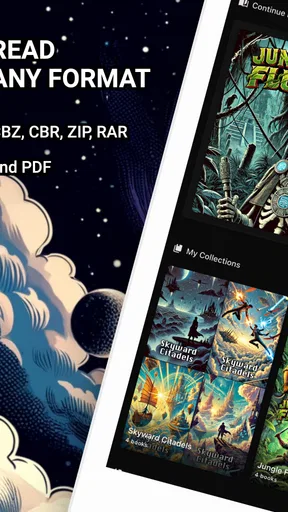
The basic idea is practical: bring compatible comics into one reading app and spend less time switching between file types. The app supports ZIP, RAR, CBZ, CBR, and PDF, so it can fit collections assembled from different sources. That breadth is useful if your shelves include older compressed archives alongside PDFs, though opening a format is only one part of a good library routine. Naming files clearly and keeping a sensible folder structure still matter when you want to find a particular issue later.
I would especially consider it if you read comics saved locally and want a straightforward place to open them. It is less suited to someone whose main expectation is a digital comics shop, a subscription catalog, or a social reading service. Those are different kinds of products: a storefront helps you find and acquire books, while this app is centered on reading compatible files you bring to it. If you already have a library, that narrower focus can be a plus; if you are starting from scratch, you may need another source for the comics themselves.
Trust, controls, and what to check
I take a cautious approach to any app that handles personal files. Here, the most useful practical boundary is to think of the comic archive as yours to organize and choose deliberately. Before importing a large collection, I would test a small sample containing the formats I actually read, then check that the files appear as expected and that I can return to them comfortably. This gives you a chance to spot a workflow mismatch before you spend time building the whole library around it.
The app’s visible reading choices include page layout, brightness, zoom, bookmarks, and file organization. These are controls over the reading experience, not a reason to assume anything about account, privacy, or cloud behavior. I would avoid putting sensitive documents into a comic reader just because it can open PDFs, and I would keep a separate backup of files I care about. A reader can make access convenient, but it should not become the only copy of a collection that would be difficult to replace.
There is also a useful distinction between a device library and a synchronized library. The earlier description of reading across devices sounds convenient, but I would verify the behavior on the devices I plan to use before relying on it for continuity. In particular, check whether the same files and reading position are available where you expect them, rather than assuming that adding a comic once makes every device match automatically. For travel or a commute, a locally available file is the safer plan than counting on a transfer you have not tested.
Who will get the most from it?
This app makes the most sense for readers who already collect digital comics, use more than one supported format, and want a simple way to open them. It may also suit someone who keeps a small reading queue on a phone but prefers a larger screen at home: a brief test of file access and bookmarks can show whether moving between those habits works smoothly for them. The store marks it for Everyone, and its free download lowers the barrier to trying a few personal files before deciding whether it belongs in a regular routine.
Worth Reading Before You Choose

EA SPORTS FC Mobile 26 Is a Bigger Football Game, but It Takes Time

Flipboard Shows What News Apps Must Do Beyond the Feed

Switching to Android Auto Means Rethinking Your Driving Routine

Google Calendar Makes a Crowded Week Easier to Manage

Ludo King Makes the Most of the Minutes Between Plans

Baby Panda World Brings Quick Play to Modern Phones, but Its Game Library Feels Busy
I would point a new comics reader toward a catalog or store first if they want recommendations, a built-in buying flow, or an easy way to browse series they do not already know. I would also suggest looking elsewhere if a person needs a carefully documented cloud workflow or extensive personalization. The app’s strengths are in handling a personal set of files and offering basic reading controls; it is not automatically the best fit for every part of digital comic collecting.
A realistic use case is a reader preparing for a train ride. They can choose a few issues at home, confirm the files open, and use bookmarks to keep their place when they switch between a short read and a longer one. The small but helpful habit is to test the exact archive types in that queue before leaving, especially if the collection mixes PDFs and compressed files. That check is more dependable than discovering a problem after the connection or spare time has disappeared.
How it sits beside other comic apps
Compared with a comic-store app, this reader is more flexible about a collection you already have, but it does not replace the discovery and purchasing side of a storefront. Compared with a general file manager, it is more purpose-built for reading pages, with features such as zoom, page layouts, brightness adjustment, and bookmarks. Those trade-offs are the point: readers who value direct access to personal files may prefer this focused approach, while people who want polished catalog browsing, publisher accounts, or a unified purchase history may be happier in an ecosystem designed around those services.
One practical tip is to keep your archive folders organized before importing or browsing, using names that make series and issue order easy to recognize. Another is to try both single-page and double-page viewing with the kind of artwork you read most. A spread can feel natural on a larger screen, while a phone may make one page at a time easier to inspect without constant zooming. Neither layout is universally better, so a quick comparison with an actual comic is more useful than choosing a setting by habit.
Price, version, and a measured decision
The app is free to install, with in-app purchases listed from $1.99 to $69.99 per item. I would look at the purchase details in the app before paying for anything and decide whether the free experience already covers my reading needs. The average rating is 3.3 from around 350 ratings, a mixed signal rather than a clear endorsement or warning. I would treat that as a reason to test it with a modest selection of files, not as a substitute for checking whether the reader works well with my own collection.
It was released on June 30, 2024, and version 1.29.1 is the current version noted here; it requires Android 7.0 or later. The app has passed 50,000 installs, which suggests it has found an audience, but that alone does not tell me whether its approach will suit an individual reader. For me, the sensible decision is to start with a few nonessential files, explore the controls, and keep the originals backed up elsewhere. If that small trial feels comfortable, there is little reason not to build up gradually.
In the end, I see Comic Reader CBR, CBZ & PDF as a practical choice for people who want to read their own compatible comic files without turning the task into a larger platform commitment. Its appeal is the combination of broad archive support and approachable reading controls; its limits are the ones that come with a file-focused tool, especially if you expect a complete store, a highly customizable interface, or a cloud workflow you can rely on without testing. I would give it a try if my comics were already organized and ready to read, while keeping backups and checking any cross-device routine before depending on it.
Ever found yourself buried in a sea of comic books, wishing you had a simple way to manage and read them on your device? Enter Comic Reader CBR, CBZ & PDF, a handy app that promises to do just that. I decided to give it a whirl and see if it really lives up to the hype.
Getting Started: First Impressions
From the moment I launched the app, I was greeted with a clean and intuitive interface. It’s straightforward and doesn’t bombard you with unnecessary frills. For someone who values simplicity, this was a pretty solid start.
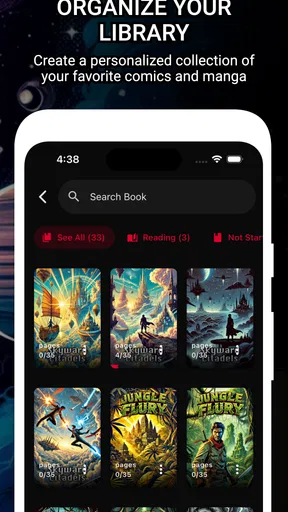
The app supports a variety of formats, including CBR, CBZ, and PDF, which means you're pretty much covered no matter what form your comic collection takes. Importing my library was a breeze. With a few taps, I had my favorite comics ready to go, neatly organized in the app’s library.
Reading Experience
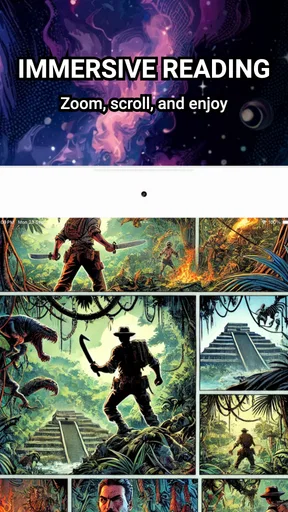
Now, let’s talk about the reading experience. With Comic Reader CBR, CBZ & PDF, the pages load quickly and smoothly. I didn’t experience any lag or glitches, which is a huge plus. The app allows you to zoom in with a simple pinch, ensuring you can savor every little detail of the artwork.
I particularly enjoyed the customizable reading options. You can switch between single page and double-page views, and even adjust the brightness without leaving the app. This is perfect for those late-night reading sessions when you don’t want to disturb anyone else in the room.
Features That Stand Out
One of the features that caught my eye is the bookmarking capability. It’s incredibly handy for keeping track of where you left off, especially when juggling multiple comics. No more flipping through pages trying to remember where you stopped.
The app also syncs across devices, which is a lifesaver. Start reading on your tablet at home, and continue on your phone while commuting. It’s seamless and saves you the trouble of manual syncing.
Comic Collection Management
Managing your collection is a cinch with this app. You can organize your comics into folders, making it easy to access your favorite series or authors. The search function is pretty robust too, so finding a specific issue is no hassle at all.
For those with extensive collections, the app’s storage optimization feature is a godsend. It helps keep the file sizes down, ensuring you don’t gobble up all your device’s storage space.
What Could Be Better?
While the app is mostly a joy to use, there are a few areas for improvement. The customization options, while adequate, could be expanded. More themes or the ability to change the background would add a nice touch of personalization.
Another minor gripe is the lack of direct integration with cloud services beyond the basic offerings. Having options like Google Drive or Dropbox would greatly enhance the utility for users who prefer cloud storage.
Final Thoughts
Overall, Comic Reader CBR, CBZ & PDF is a solid choice for comic enthusiasts. It delivers a smooth reading experience, easy management, and a clean interface that makes diving into your favorite comics a pleasure. While there’s room for a few improvements, the app does a fantastic job of making your digital comic reading effortless and enjoyable.
If you’re on the hunt for a reliable comic reader, this app is definitely worth checking out. So, grab your favorite comic, settle in, and let this app transport you to another world.
Pros
- User-friendly interface for easy navigation.
- Supports multiple file formats seamlessly.
- Offline reading mode is highly efficient.
- Customizable viewing options enhance experience.
- Quick file loading with minimal lag.
Cons
- Limited cloud storage integration options.
- Ads can be intrusive in the free version.
- No built-in annotation features.
- Occasional crashes with very large files.
- Lacks advanced search capabilities.
FAQs for Comic Reader CBR, CBZ & PDF
What file formats does Comic Reader CBR, CBZ & PDF support?
Comic Reader CBR, CBZ & PDF supports multiple file formats including CBR, CBZ, and PDF, making it versatile for comic enthusiasts. This ensures that users can read a wide range of comics and graphic novels without needing to convert files, offering convenience and flexibility.
Is Comic Reader CBR, CBZ & PDF compatible with both Android and iOS devices?
Yes, Comic Reader CBR, CBZ & PDF is available for both Android and iOS platforms. Users can download the app from the Google Play Store for Android devices or the App Store for iOS devices, ensuring a seamless experience across different operating systems.
Does Comic Reader CBR, CBZ & PDF offer any customization options for reading?
Yes, the app provides various customization options to enhance the reading experience. Users can adjust brightness, change page layouts, and choose between different reading modes such as single-page or double-page views, allowing for a personalized reading experience tailored to individual preferences.
Are there any in-app purchases or ads in Comic Reader CBR, CBZ & PDF?
Comic Reader CBR, CBZ & PDF may contain ads, with an option for in-app purchases to remove them and unlock additional features. These purchases can enhance the user experience by providing ad-free reading and access to premium functionalities, though the core features remain accessible without purchase.
How user-friendly is the interface of Comic Reader CBR, CBZ & PDF?
The interface of Comic Reader CBR, CBZ & PDF is designed to be intuitive and user-friendly. It features easy navigation, a clean layout, and quick access to your library, making it simple for both beginners and seasoned readers to find and enjoy their favorite comics seamlessly.


